
Huawei HG8145V5
Your slow fiber connection is sometimes not due to your internet provider but to inferior router settings, weak security settings, and wrong network configuration. When properly configured, your fiber gateway can enhance speed, stability and overall home network performance.
| Details | Login Details |
| Default Username for Huawei HG8145V5 | admin |
| Default Password | Printed on Routers Label |
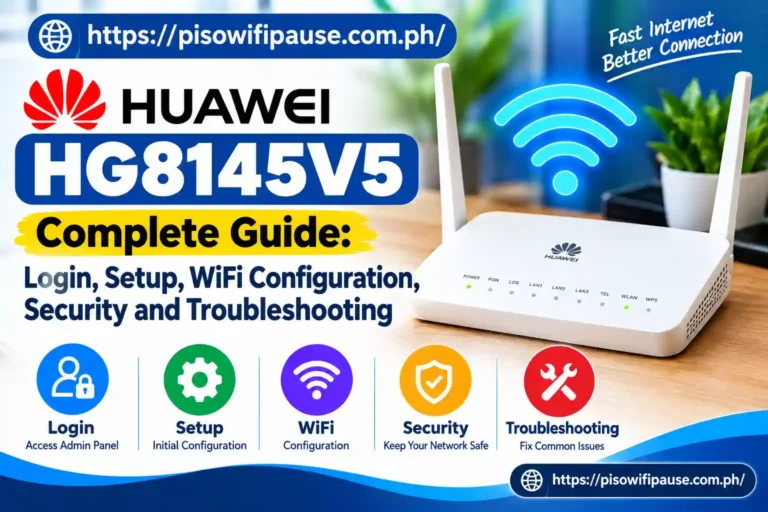
The HUAWEI HG8145V5 is an intelligent Optical Network Terminal (ONT) product for future FTTH networks. This device brings all fiber access technology, wireless networking, voice services and routing functionality in one single box, which is why it has been a favorite of ISPs worldwide.
In this comprehensive guide, we will cover all about the Huawei HG8145V5: its features, how to log in, WiFi configuration and settings, security customization, reset methods tips and troubleshooting solutions. If you are a home user or looking to manage your small office network, then this is the guide for you; we will help you configure your device correctly.
What Is Huawei HG8145V5 and Why Is It Used?
Huawei HG8145V5 GPON ONT (Optical Network Terminal) for Fiber Optic Internet Services to Home and Office Networks. While conventional routers only distribute access to an internet connection, this device converts optical signals from the fiber network into usable Ethernet and wireless connections.
Most commonly, the device is used for fast narrowband delivery in FTTH, which means that the Internet provider delivers high-speed broadband to you via fiber cables. It supports different services such as high-speed internet access, IPTV and VoIP telephone communication.
Huawei HG8145V5 Technical Specifications and Features
HUAWEI HG8145V5 is a powerful home gateway solution. Providing a fiber connection with great capacity using GPON technology.
Through its built-in GPON downstream and upstream capabilities of up to 2.488 Gb/s and 1.244 Gb/s, respectively, the device empowers users to effortlessly carry out demanding tasks including streaming video in ultra-high definition (4K), online gaming, or attending a video conference alongside cloud applications.
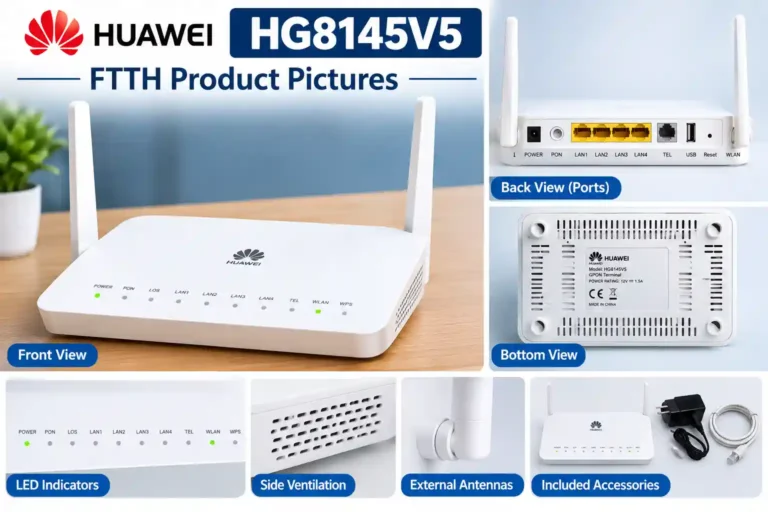
On the hardware side, there are four Gigabit Ethernet ports for wired connections, one POTS port (Plain Old Telephone Service) for telephone services, and a USB 2.0 port to function as an extra network feature.
The HG8145V5 offers 802.11ac dual-band WiFi for wireless connectivity 2.4 GHz frequency gives you more extensive coverage while the 5 GHz band has faster speeds with less interference. It also has support for IPv4 and IPv6 networking including NAT/NAPT capabilities, a firewall and advanced routing.
How to Log In to Huawei HG8145V5 Router Admin Panel
Through the router management page, users can do things such as change network settings or WiFi passwords, modify security options and manage connected devices. First, connect a computer or smartphone to the router over WiFi or using an Ethernet cable. Launch a web browser and enter the default IP Address
192.168.100.1
If this address does not launch, several internet providers may make use of another gateway address such as:
- 192.168.1.1
- Go to the login page, type in your username and password. The default username is usually:
- admin
- The password is printed on the router label or provided by your internet service provider.
- Since several ISPs modify the Huawei ONT settings, login information may differ from one ISP to another.
How to Change Huawei HG8145V5 Admin Password
The default administrator password is an extremely important security step after installation. Technicians know default passwords unless changed, so if unmodified, it creates a security exposure. A password is set to stop unauthorized users from accessing router settings. Log into the HG8145V5 admin panel, navigate to account or maintenance options and change the admin password
Use a strong password containing:
- Uppercase and lowercase letters
- Numbers
- Special characters
Do not use easy passwords such as a name, phone number or generic words.
A strong administrator password protects essential configurations, including WiFi settings, firewall rules and connected devices.
How to Change HG8145V5 WiFi Name and Password
- One of the most common ways to protect your home network is to change your wireless network name and password (SSID).
- Once logged in, click on the WiFi settings. Here, you can change the SSID which is basically how your devices will see your wireless network when trying to find one.
- Enable WPA2-PSK AES; if your firmware supports it, choose WPA3. Steer clear of antiquated security practices like WEP as they are not regarded as safe these days.
- Your WiFi password must have letters, numbers and symbols. This means your WiFi password should be different from the password that governs router administration, adding an extra layer of protection.
Common HG8145V5 Problems and Their Solutions
The most common scenario for many users is problems like not being able to log in, slow Wi-Fi, or connection issues. However, these problems can be solved with basic troubleshooting. Make sure the device you are using is connected to the router network; if it does not, open the HG8145V5 login page. Check the IP address of the gateway which you are using.
If the internet is slow, reset the router, verify that connected devices such as laptops and televisions work properly, and try connecting using an Ethernet cable. Poorly placed router or Wireless interference is the usual cause of a weak WiFi signal. Both strategies include better positioning of the Router and switching between 2.4 GHz and 5 GHz networks to get more performance.
Conclusion
Huawei HG8145V5HD Fiber Gateway is an intelligent fiber gateway that integrates optical network access, wireless connection routing and security in one device. Configured correctly, it can offer consistent and fast internet performance in any modern home or small office.
It helps users to make the best use of their fiber connection with knowledge of the required login process, WiFi settings & security options and troubleshooting. Many advanced options are conditional on what your ISP will permit, but using strong passwords, maintaining secure wireless encryption and a properly managed network will help in the long run.
FAQs
What is the default IP address of HG8145V5?
The default gateway address is often 192.168.100.1, but some ISPs have deployed different settings.
What is the default username for HG8145V5?
A lot of the devices use admin as the default username, but password details vary based on how the ISP configured it.