Starlink Piso WiFi
Starlink Piso WiFi: Complete Guide to Setup, Costs, Plans and Earnings in the Philippines
Assume you are in a Philippine barangay and climbing a hill because that is the only way to have an internet connection or going on hours of treks just to find a fading mobile signal. Now imagine doing the same but creating a tiny little startup to help solve that connectivity issue.
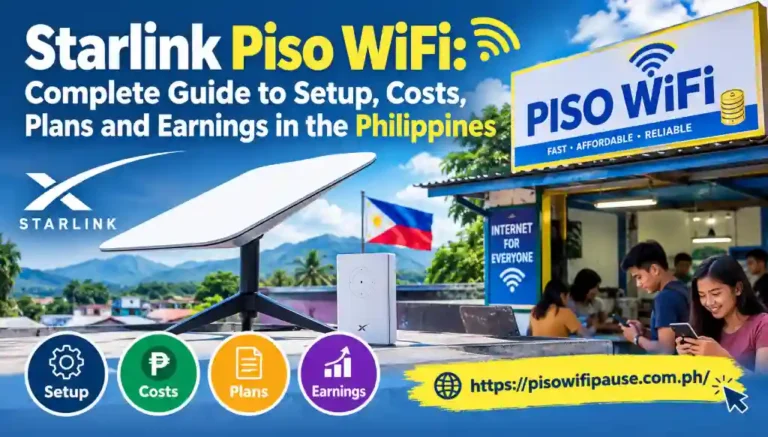
Enter Starlink Piso WiFi.
Piso WiFi machines (the traditional version) rely on fiber broadband or mobile networks that are often limited in rural communities. Starlink improves that by providing satellite internet to places where traditional infrastructure fails to reach. Represented together with a coin-operated vending machine where people can search on the web for only a few pesos.
This guide teaches you how the system works, how much it will cost, how to install the it, and if its even worthwhile financially.
What Is Starlink Piso WiFi and How Does It Work?
Starlink Piso WiFi allows you to install the SpaceX satellite internet service and a prepaid WiFi vending system. Connecting through a smartphone or laptop, they access the Wi-Fi Hotspot and pay using coins or digital payment methods supported.
Starlink provides Internet access using low-Earth-orbit satellites as opposed to traditional broadband. A Starlink dish talks with the satellite constellation, and then a separate hotspot controller handles customer authentication.
Softwares like LPB Piso WiFi, AdoPiSoft or JuanFi control the time of sessions, speeds and payments.
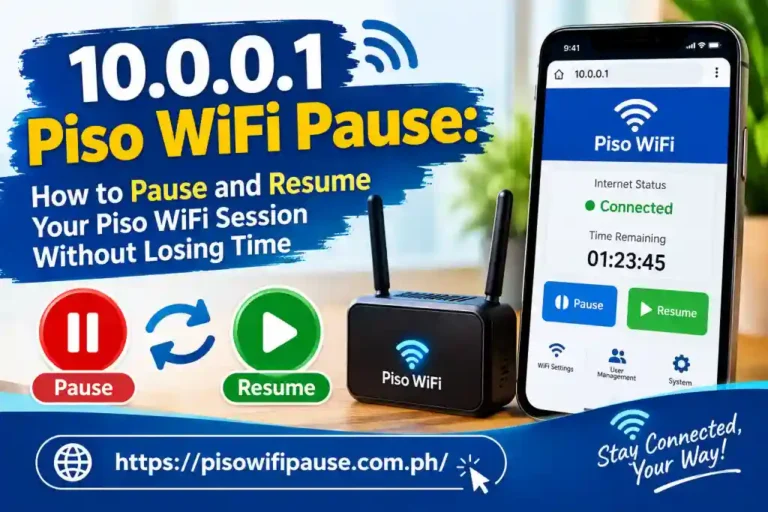
The other common systems include a pause-time feature, which customers can use to stop the rest of their internet time by going through a local portal such as 10.0.0.1 and clicking on a button in that web page.
Is Starlink Piso WiFi Legal in the Philippines?
Your Starlink Piso WiFi can run on your Starlink, but we have to choose the right subscription.
Starlink’s Terms of Service proscribe the unauthorized sale of internet access by customers. The terms do, however, also explicitly allow customers who buy certain qualifying Priority plans to resell access as community WiFi or hotspots.
This inevitably makes the suitable Priority subscription vital for business operators. A normal Residential subscription should not be used for illegal reselling on the internet.
Operators must also comply with the relevant Philippine business registration, local permit, taxation and telecommunications requirements.
How Much Does Starlink Piso WiFi Cost in the Philippines?
Foremost, the amount of your investment with Starlink Piso WiFi will depend on the equipment and installation needs including satellite equipment, vending machine, networking hardware.
Indicative Philippine supplier prices predict basic DIY vending logistic set up to cost around ₱6,000–₱9,000, while a full plug-and-play machine ranges from ₱15,000–₱30,000.
Starlink hardware could cost around ₱19,800–₱28,000 more on top of this (however actual prices will vary depending on the model/seller/discounts at time of purchase).
So a dual system could easily cost ₱35,000–₱58,000 or higher before service fees each month, permits, wiring and other equipment.
Starlink Monthly Subscription Costs
You should get a Starlink Piso WiFi subscription that allows for authorized hotspot reselling, as well as enough data to support your predicted customer volume.
There are vary monthly data caps for different types of Prime plans. For example, while pricing guides in the Philippines list around ₱1,950 per month for an entry level 50GB plan, that number should likely be viewed as past or indicative rather than a concrete current offer.
Refer to the official Starlink business plans for prices available in your service location.
How to Set Up Starlink Piso WiFi Step by Step
With those in place, you can install a Starlink Piso WiFi system using a properly located satellite dish, compatible network controller device, and configured payment & accounting system.
Check Coverage and Install the Starlink Dish
You first check the Starlink availability map at your address. Verify the available Priority service is the correct one prior to ordering equipment.
Place the dish where it will be able to see directly towards the sky. Stay away from trees, surrounding buildings and obstacles that can disrupt satellite communication.
Connect Starlink to the Vending System
Plug the Starlink internet device into the WAN port of your compatible piso WiFi router or controller.
This might need a specialized Ethernet adapter or some sort of an Ethernet connection according to the Starlink model.
After that, within your own LPB Piso WiFi, AdoPiSoft or JuanFi system for hotspot configuration such as customer access limits and payment rules.
Configure Payments and Test Customer Access
Hook the intended coin acceptor or compatible GCash/Maya payment integration to the vending controller
Mirror the entire workflow: connect the phone, buy internet time, visit a website and ensure access was granted for the correct amount of time.
How Much Can You Earn From Starlink Piso WiFi?
The amount of money earned is very dependent on the use of customers, operating time which can be open more than 24 hours a day and where it will be located, there are many internet provider in Philippines with low and high cost account for all user.
A few business guides indicate potential average daily collections from ₱500–₱3,000, but while these figures are illustrative examples, they are not verified averages either.
Imagine a machine making ₱500 everyday at 30 working days. That generates ₱15,000 in a monthly gross revenue.
An established place with regular paying customers could thrive, whereas a poorly sited machine may never recoup its initial investment.
Best Locations for a Starlink Piso WiFi Business
Starlink Piso WiFi works best in communities with sporadic access to reliable broadband service and a significant demand for low-cost prepaid service.
So that means at least opportunities within remote islands as well, rural barangays of the Philippine archipelago or mountain communities where you can build small resorts there, maybe its also providing a little bit for those sari-sari stores.
One good tip is conducting a survey with the residents prior to any investment. Find out how much they currently shell out for mobile data, and if they would consider purchasing prepaid WiFi regularly.
Where affordable fiber broadband is in place, conventional fiber-based piso WiFi will have lower OpEx.
Business Registration and Operating Requirements
If you are providing services through the Starlink Piso WiFi System, please register and apply for the approvals that suits with your business before operating.
Sole proprietorships typically need to register their trade name with the Department of Trade and Industry. A DTI certificate does not replace on the local Business / Mayor’s Permit.
Barangay clearance or other local documents (which may vary from one municipality to another) are also needed.
You are required to sign up as a business with the Bureau of Internal Revenue, follow tax regulations and provide receipts as needed.
Conclusion
Starlink Piso Wifi is a convenient method for bringing paid internet access to Philippine communities that don’t have broadband service from traditional providers.
This technology is primarily useful to provide coverage where fiber and/or mobile connections are not reliable. But you need to take into account higher start-up costs, low Priority data allowances, needing permits and also the unknown in demand from customers.